
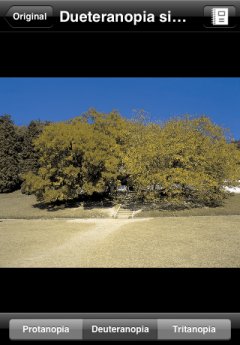
Simulation view
In addition to the ordinary operations such as zooming and scrolling, the following operations are available in the simulation view:
- Show the original imageTap the leftmost button on the upper navigation bar to go back to the original image view.
- Re-obtain an imageWhen you tap the rightmost button on the upper navigation bar, the camera function is activated if the current image was taken with camera, the image picker is activated if the image was selected from Photo Albums, or the web browser is activated if the image was copied from a snapshot of a web page.
- Alter simulation to be appliedProtanopia simulation, deuteranopia simulation, or tritanopia simulation is applied to the image by tapping corresponding button on the segment control in the lower tool bar. The name of simulation that is being applied is shown in the center of the upper navigation bar.
- [CAUTION]
- We DO NOT guarantee the accuracy of the simulation image. It should be used only as a guide.
