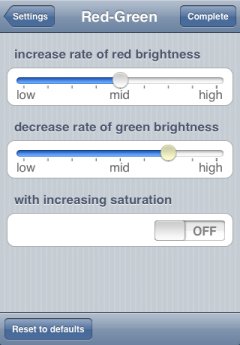
- Red-green transform, Blue-yellow transform, Saturation increase
You can adjust transform degree with the sliders. Moreover, in red-green transform or blue-yellow transform setting, you can specify whether to execute the saturation increase in addition to the transformation.
- Filtering
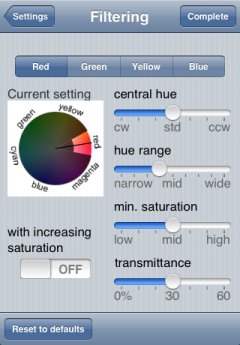
By the upper segment control in the view, you can select a filter that is to be configured. And the hue of transmissible color, its range, and the transmittance of cutoff color can be adjusted with sliders. Those settings are reflected in the figure labeled "Current setting".
- [CAUTION]
- The color in the figure is not accurate, so it should be used only as a guide.
Moreover, you can specify whether to execute the saturation increase in addition to the filtering.
Value guide for sliderThe sliders in every setting view show a current value when its knob is held. (It changes in conjunction with the slider value.)
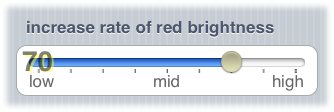
Though the value guide is shown at the left edge of slider in the initial setting, you can change it to the right edge.
- Hatching
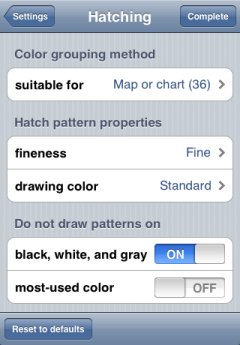
In hatching setting view, you can configure the following:
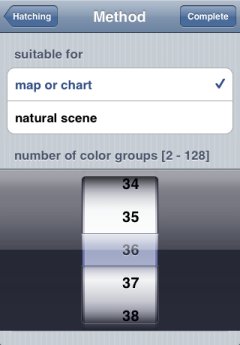
- Color grouping methodThe hatching divides colors in an image into some groups, and then draws different hatch pattern to each group. For this grouping method, you can decide between the method suitable for map/chart and the method suitable for natural scene. Additionally, you can specify the maximum number of color groups. Those settings can be done with the following sub view.
- [CAUTION]
- Double tap the background of the picker (for specifying the number of color groups) to reset to the initial value.
- Fineness of hatch patternsYou can select fine or rough hatch patterns to be drawn.
- Drawing color of hatch patternsHatch patterns are drawn in black on bright colors, and drawn in white on dark colors. At that time, the color of each color group is determined to be bright or dark. You can select a type of color vision that is to be taken into consideration while that determination.
- Avoiding drawing patterns on achromatic colorYou can avoid drawing hatch patterns on achromatic color such as white, black, and gray.
- Avoiding drawing patterns on most-used colorBecause most-used color in an image is often the background color, you can avoid drawing hatch patterns on that color.